Registration
How to Register as a Freelancer with the BIR (2026 Guide)
9 min read
To register as a freelancer with the BIR, you file BIR Form 1901 at the Revenue District Office (RDO) that covers your home address (or online through ORUS), pay a ₱30 documentary stamp, claim your Certificate of Registration (BIR Form 2303), and register your books of accounts and invoices. As of 2026 the old ₱500 annual registration fee is gone, and you can choose the 8% flat income tax rate on the same application.
If the letters "BIR" make you tense up, you are not alone. The forms look intimidating, the queues have a reputation, and the fear of a surprise penalty keeps a lot of freelancers unregistered for years. The reality is calmer than the horror stories: the process is a short, fixed checklist, and the Ease of Paying Taxes (EOPT) Act has removed several of the steps that used to make it painful. This guide walks through the 2026 process end to end.
This is general information, not tax advice. Rules and RDO practices change — confirm the specifics with your own RDO before you file. Key references: Revenue Regulations No. 8-2018 and the Ease of Paying Taxes Act (RA 11976).
Why bother registering with the BIR?
Registering as a Professional — the BIR's category for freelancers, virtual assistants, consultants, and other self-employed individuals working under their own name — does two things for you:
- It turns your income into proof. A stamped return is what banks, embassies, and lenders accept when you apply for a housing loan, a credit card, or a travel visa. Bank statements alone rarely cut it. Some local corporate clients will not engage you at all without a TIN and a registered invoice.
- It unlocks the 8% flat rate. Instead of the graduated income tax (0–35%) plus the 3% percentage tax, you can elect a single 8% rate on your gross receipts above ₱250,000 for the year — no expense receipts to hoard, no audited financial statements. See what the 8% rate actually is and how it compares to graduated rates.
Staying unregistered does not make the obligation disappear — it just lets potential "open cases" accumulate quietly until you need a tax clearance or want to close the business.
The fast way: let RaketTax register you
If four steps and an RDO queue is more than you want to deal with, RaketTax Launchpad does the whole thing for you. A partner bookkeeper creates your BIR ORUS registration, secures your 8% flat rate from day one — no percentage tax, no VAT — and sets up your RaketTax ledger so you can start logging income the moment you are approved. You never visit an RDO; the BIR typically processes it within 3 to 5 business days, and you get a plain-English update at each step. It is a one-time paid service (see current pricing in the app).
Create a free RaketTax account and choose "I don't have a TIN yet" during onboarding to get started (or "I need to register: I already have a TIN (e.g., from a job or for an ID)" if you already have one). Launchpad covers people with a TIN but no ORUS account yet: your partner bookkeeper creates the ORUS account, updates your existing registration and transfers it to your home RDO, and you keep the same TIN. (Already have an ORUS account? Use the do-it-yourself steps below; we never ask for ORUS passwords.) Never apply for a second TIN, which is against the law.
Prefer to do it yourself for free? The rest of this guide is the complete walkthrough.
What you need before you register
Gather these first so you do not lose a day to a second trip:
- BIR Form 1901 (Application for Registration), filled out in duplicate. Tick Professional – In General, or Professional – Licensed if you hold a PRC license. Download it from the BIR site and check you have the current revision (October 2025 ENCS as of 2026).
- One valid government ID (passport, driver's license, or PhilID) plus a photocopy, showing your name, address, and birthdate. If your ID has no address, bring proof of address in your name (a utility bill or barangay certificate, for example).
- Licensed professionals only: your valid PRC ID, in addition to the government ID.
- Your invoices, one of two ways: buy BIR Printed Invoices at the registration counter, or bring a final sample of your own invoices from a BIR-accredited printer (see Step 4).
- DTI Certificate of Business Name — only if you plan to operate under a trade name. Registering under your real name does not need one.
This is the list on the October 2025 Form 1901 itself and on the BIR's own documentary-requirements checklist. Neither asks a freelancer for a city-hall Occupational Tax Receipt or a Professional Tax Receipt, though an individual RDO can still ask for more.
The only fee is a ₱30 documentary stamp for your Certificate of Registration, plus the cost of the BIR Printed Invoices if you buy them. There is no ₱500 Annual Registration Fee anymore: it was abolished effective 22 January 2024 under the EOPT Act, per Revenue Memorandum Circular No. 14-2024. Do not let an RDO, a printing shop, or a "fixer" charge you for it.
How to register as a freelancer with the BIR, step by step
Step 1: File BIR Form 1901 with your RDO
Your RDO is the one with jurisdiction over your place of residence. You have two routes:
- Walk in. Bring your documents to the New Business Registrant Counter of your RDO.
- File online. Use the BIR's NewBizReg portal or ORUS (Online Registration and Update System) to email scanned requirements to your RDO. ORUS also handles later profile changes without a branch visit.
Step 2: Elect the 8% flat income tax rate
This is the step people miss. You signal the 8% election either on Form 1901 itself or on your first quarterly income tax return (1701Q) for the year. On the current Form 1901 it is a direct question (item 23, "Are you availing of the 8% income tax rate option…?"); tick Yes. If you say nothing, the BIR defaults you to graduated rates plus the 3% percentage tax, and the choice is locked for the rest of the year (Revenue Regulations No. 8-2018).
Step 3: Claim your Certificate of Registration (Form 2303)
Once approved, the RDO issues your Certificate of Registration (COR / BIR Form 2303). Read it carefully — it lists exactly which returns you must file and how often. Confirm that:
- Income Tax is listed, and
- Percentage Tax is not an active tax type (if you elected 8%).
If Percentage Tax is still there, raise it with the RDO before you leave, or fix it later through ORUS.
Step 4: Register your books of accounts and invoices
Registration is not finished until you have:
- Books of accounts — a simple journal and ledger from any bookstore, registered with the BIR (over the counter or through ORUS).
- Invoices, one of two ways: buy BIR Printed Invoices at the counter (no Authority to Print needed), or get an Authority to Print (ATP) so a BIR-accredited printer can produce your own invoice booklets. Under the EOPT Act, the invoice is now the primary proof of a sale for services, replacing the old "official receipt."
What happens after you register?
You are now a registered taxpayer with a filing calendar. On the 8% rate that means:
- Form 1701Q every quarter for Q1–Q3, due the 15th day of the second month after each quarter ends. See the 2026 deadlines.
- Form 1701A once a year for the full-year return, due 15 April of the following year.
- Your first ₱250,000 of annual income is tax-free — the exemption applies once per year, not per quarter. How the ₱250,000 exemption works.
The filing itself is where the anxiety usually returns: the cumulative quarterly math, and the eBIRForms app. That is the part worth handing off.
Where RaketTax fits
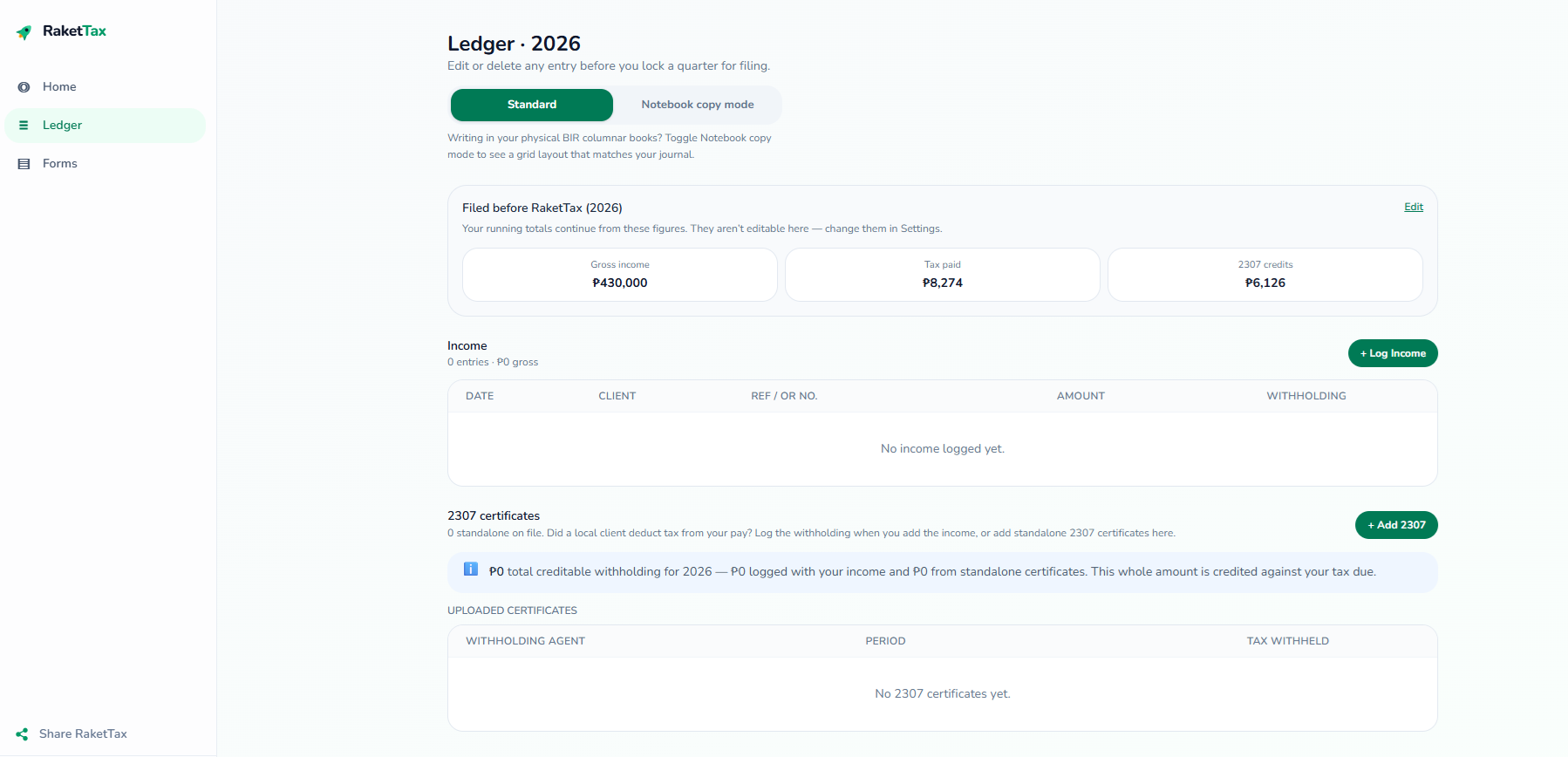
RaketTax is built for exactly this: freelancers and small business owners on the 8% rate who want filing to be boring. You log each payout as it lands, RaketTax applies the ₱250,000 exemption in the correct quarter, carries your cumulative totals forward, and produces a 1701Q or 1701A that matches the BIR's own worksheet.
From there you have two ways to file. Do it yourself through eBIRForms with the pre-filled form as your guide, or hand it to the RaketTax VIP Concierge — you approve the return, then a partner bookkeeper encodes it, files it with the BIR for you, and uploads the confirmation to your dashboard. Tracking your income is free; you pay only when a return is filed.
Frequently asked questions
Do I need a DTI registration to register as a freelancer?
Usually not. If you register under your real name (for example, Juan Dela Cruz) as a "Professional – In General," you do not need a DTI Certificate of Business Name. You only need one if you want to trade under a separate business name.
I have been freelancing for years without registering — what now?
Register going forward. The BIR sets up your record based on your application, but a long history of unregistered activity can still surface later as "open cases" — unfiled-return penalties that compound over time. If that is your situation, register now and talk to a bookkeeper or your RDO about settling any back periods. See late filing, penalties, and open cases.
Which taxes will I actually pay after registering?
If you elect the 8% flat rate, you file the Quarterly Income Tax Return (1701Q) and the Annual Income Tax Return (1701A), and you pay 8% only on income above ₱250,000 for the year. You are exempt from the 3% percentage tax.
Do I still have to pay the ₱500 annual registration fee?
No. The ₱500 Annual Registration Fee was removed effective 22 January 2024 under the Ease of Paying Taxes Act. The only registration fee now is a ₱30 documentary stamp for your Certificate of Registration, plus the cost of BIR Printed Invoices if you buy them.
Ready to stop stressing over the BIR?
RaketTax tracks your income for free and fills in your 1701Q and 1701A so you can review the numbers before you file.
Create my FREE RaketTax account