Filing
BIR Form 1701Q: Step-by-Step Guide for First-Time Filers
7 min read
Short answer: to file BIR Form 1701Q on the 8% rate, total your gross receipts for the quarter, subtract the ₱250,000 annual exemption if you are a pure freelancer, apply 8% to what is left, then file and pay through eBIRForms — or let RaketTax prepare the form. It is due on the 15th day of the second month after the quarter closes.
Filing your first tax return can feel like defusing a bomb — a screen full of tiny boxes, unfamiliar terms, and the fear that one wrong click means penalties. If you are a freelancer or small business owner on the 8% flat income tax rate, you are in a good position to do this calmly: your gross income is under ₱3,000,000, which makes you a Micro Taxpayer under the Ease of Paying Taxes (EOPT) Act — and the BIR has made both the filing and the penalties much gentler for you.
General information, not tax advice. Based on the EOPT Act (RA 11976) and RR 6-2024. Verify your case with your RDO.
Not registered as a freelancer yet (even if you have a TIN from a job)? Start with how to register as a freelancer — or let RaketTax Launchpad register you and secure your 8% election for you, with no RDO visit.
What BIR Form 1701Q is
BIR Form 1701Q is the quarterly income tax return for self-employed individuals, freelancers, professionals, and sole proprietors. Rather than one lump sum at year-end, the BIR collects income tax in instalments: you file 1701Q for Q1, Q2, and Q3, then fold the fourth quarter into your annual return — Form 1701A for pure 8% filers, Form 1701-MS (or the general Form 1701) for mixed-income earners. See which BIR form to file.
Income tax on 1701Q is cumulative. Each quarter's form looks at your year-to-date income, computes the tax on that running total, and credits whatever you already paid in earlier quarters (why you log every quarter).
The EOPT advantage for micro taxpayers
Before the steps, the part people worry about most — penalties. Because you earn under ₱3,000,000, you are a Micro Taxpayer, and RR 6-2024 cut the late-filing penalties for you:
| Penalty | Standard rate | Micro / small taxpayer |
|---|---|---|
| Surcharge | 25% of tax due | 10% |
| Interest | 12% per year | 6% per year |
| Compromise penalty | BIR schedule, from ₱1,000 | Same schedule (not reduced) |
A missed deadline is still worth avoiding, but it is no longer a catastrophe. The 1701Q deadlines guide has a full worked example.
How to file your first 1701Q, step by step
Step 1: Total your gross receipts for the quarter
Add up every peso you received from clients or customers during the quarter — the full invoice amount, before platform or bank fees. Do not subtract expenses: on the 8% rate the BIR ignores business costs entirely, so there is nothing to itemise. For foreign payments, convert each one to pesos at the rate on the date you were paid (handling foreign income).
Step 2: Apply the ₱250,000 exemption — if it applies to you
- Pure freelancer / self-employed only: you get a ₱250,000 exemption for the year. Because the return is cumulative, you owe ₱0 until your year-to-date income passes ₱250,000; after that, 8% applies to the excess (how the ₱250,000 exemption works).
- Mixed-income earner (freelance plus a salaried job): you cannot claim the ₱250,000 here — your employer already applied it to your salary. You pay a flat 8% on your freelance income from the first peso, using ATC II016 (mixed income, explained).
Step 3: Fill out the form
The manual route: install the BIR's eBIRForms package on a Windows PC, open the 1701Q (January 2018 version), tick the 8% income-tax option (in lieu of graduated rates and percentage tax), and type in your figures — gross receipts, the exemption if it applies, the cumulative amounts from earlier quarters, and any Form 2307 tax withheld by local clients. Then click Validate until it is clean.
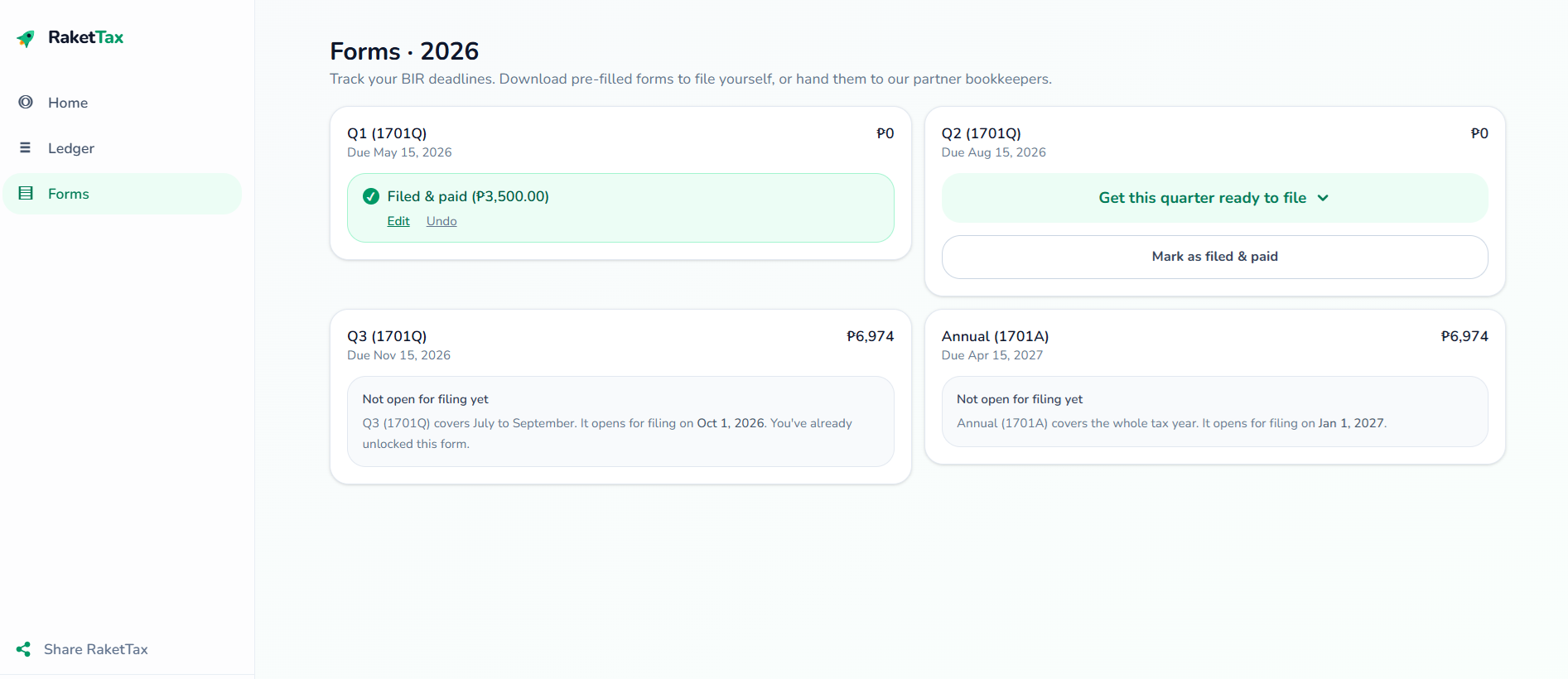
The easier route: skip the government software for the encoding. With RaketTax you enter what your clients paid you, and the app checks the right boxes, applies your ₱250,000 exemption if you are a pure freelancer, carries your cumulative totals, and produces a ready-to-file 1701Q that mirrors the eBIRForms layout.
Step 4: Submit, print and pay
eBIRForms has two parts. You fill out the return in the offline package on your Windows PC, and it goes to the BIR through the Online eBIRForms System when you submit. There is no way to fill out the 1701Q on the BIR's website itself. (On a Mac? See eBIRForms on a Mac.)
- In the offline package, click Validate until it's clean.
- Click Submit / Final Copy and accept the terms when asked. This sends the return to the BIR.
- Wait for the BIR's email confirmation (the TRRC), usually within 1 to 24 hours; check your spam folder too. That email is your proof of filing. Keep it even if nothing is due.
- To print, use the Print button in the offline package on the return you submitted, and keep the printout together with the TRRC email. That pair is what banks and embassies ask for (see BIR-stamped ITR for a visa). RaketTax's pre-filled PDF is your worksheet for typing the numbers in. It is not the filed return.
If you owe tax, you no longer need a bank queue: pay online with GCash, Maya, or an online bank (paying through GCash or Maya). If your tax due is ₱0 because you are still under the exemption, just file and keep the confirmation. File every quarter, even at ₱0 — a skipped nil return still becomes an open case.
Skip the manual math
You became a freelancer to do the work you love, not to moonlight as an accountant. A single typo in eBIRForms can open a case with the BIR.
RaketTax is built to take that risk off your plate. You log what each client pays you; it applies the ₱250,000 exemption in the right quarter, carries the cumulative math forward, and generates the 1701Q or 1701A to match the BIR's worksheet. From there, freelancers and small business owners either file it themselves through eBIRForms, or hand it to the RaketTax VIP Concierge — you approve the return, then a partner bookkeeper encodes it, files it with the BIR for you, and uploads the confirmation to your dashboard. Tracking your income is free; you pay only when a return is filed.
Frequently asked questions
What are the deadlines for filing BIR Form 1701Q?
May 15 for Q1 (January–March), August 15 for Q2 (April–June), and November 15 for Q3 (July–September). If the date falls on a weekend or holiday, it moves to the next working day. Q4 is covered by your annual return, due 15 April.
I am a micro taxpayer. What if I miss the deadline but my tax due is ₱0?
You still have to file. With ₱0 due there is no surcharge and no interest (10% and 6% of zero are zero), but a late nil return still draws a compromise penalty — a fixed amount by your gross receipts, from ₱1,000 (see late filing). File the return to close the quarter.
Do I need to attach receipts to my 1701Q?
No. On the 8% flat rate you do not claim itemised deductions, so there are no expense receipts to attach. Keep your records for your own books, but the quarterly return does not need them. Do attach any Form 2307 certificates from local clients who withheld tax.
I have a full-time job — can I just report freelance income on my annual return instead?
No. A mixed-income earner still files 1701Q quarterly for the freelance or business income and pays the 8% as it accrues. The annual return trues everything up; it does not replace the quarterly filings.
Ready to stop stressing over the BIR?
RaketTax tracks your income for free and fills in your 1701Q and 1701A so you can review the numbers before you file.
Create my FREE RaketTax account